
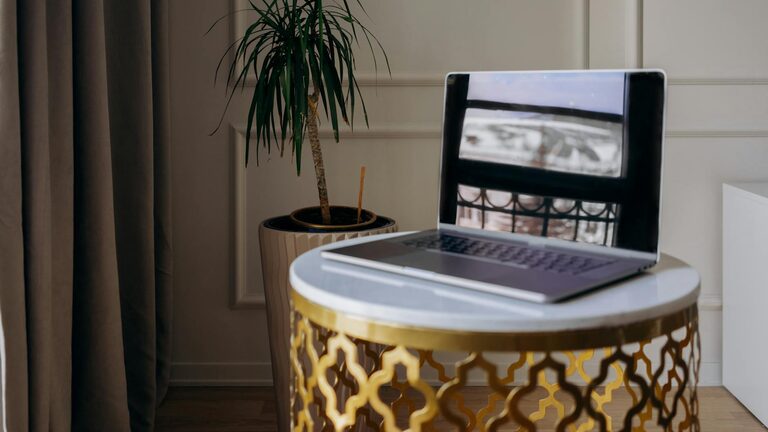
Creating a productive home workspace is essential for anyone who spends significant time working remotely or managing tasks from home. A well-designed area can improve focus, boost comfort, and make your workday more efficient and enjoyable. Whether you’re setting up a new space or optimizing an existing one, these tips will guide you in building a workspace that meets your productivity needs.
Why a Dedicated Workspace Matters
Having a dedicated spot for work helps to mentally separate your professional tasks from personal life. This distinction makes it easier to concentrate during work hours and relax when you’re off the clock. A thoughtfully arranged workspace can reduce distractions, improve posture, and keep essential tools within reach, all of which contribute to a smoother workflow.
Choose the Right Location
Start by selecting the best spot in your home for your workspace. Consider these factors:
– Natural Light: Try to position your desk near a window to benefit from natural daylight, which can improve mood and reduce eye strain.
– Quiet Environment: Choose a space that is free from household noise and interruptions.
– Space Availability: Ensure there’s enough room for your desk, chair, and any necessary equipment without feeling cramped.
If you don’t have a whole room available, a quiet corner or a section of a room partitioned off by a screen or bookshelf can work well.
Invest in Comfortable Furniture
Comfort is key to maintaining productivity over long periods.
– Ergonomic Chair: Pick a chair that supports your lower back and encourages proper posture.
– Adjustable Desk: If possible, use a desk that allows you to alternate between sitting and standing to reduce fatigue.
– Desk Size: Choose a desk size that fits your workspace needs without cluttering the area.
Adding a footrest or using ergonomic accessories like wrist pads can also provide extra comfort.
Organize Your Workspace Efficiently
Clutter can be distracting and reduce efficiency. Organize your space with these tips:
– Use Storage Solutions: Employ shelves, drawers, and organizers to keep papers, supplies, and gadgets tidy.
– Minimize Items on Desk: Keep only essential tools on your desktop to avoid distractions and keep your workspace clear.
– Cable Management: Use clips or channels to keep cords out of sight and prevent tangling.
Regularly tidying your workspace will help maintain a productive environment.
Optimize Lighting and Screen Setup
Good lighting and screen positioning are crucial for comfort and focus.
– Avoid Glare: Position your computer screen perpendicular to windows to minimize glare.
– Use Task Lighting: A desk lamp provides focused light and reduces eye strain during early mornings or late evenings.
– Adjust Screen Height: The top of your computer screen should be at or just below eye level to avoid neck strain.
Consider blue light filters or glasses to reduce eye fatigue during extended screen time.
Develop a Routine and Keep Distractions at Bay
Your workspace can only support productivity if paired with good habits.
– Set Regular Work Hours: Define when your workday starts and ends to build structure.
– Use Noise Control: If necessary, use noise-cancelling headphones or play ambient background sounds.
– Limit Interruptions: Inform household members of your schedule and consider a “do not disturb” signal.
Adding personal touches like plants or artwork can make your space inviting without adding distractions.
Incorporate Technology Wisely
Technology can enhance productivity when used thoughtfully.
– Reliable Internet Connection: Ensure your home network supports video meetings and large file uploads smoothly.
– Essential Tools: Select productivity apps and tools that help with task management and communication.
– Keep Devices Charged: Use charging stations to keep your devices powered and ready.
Avoid unnecessary notifications by turning off non-work related alerts while working.
Take Breaks and Move Regularly
Finally, don’t forget to take regular breaks.
– Follow the 20-20-20 Rule: Every 20 minutes, look at something 20 feet away for 20 seconds to reduce eye strain.
– Stretch and Move: Stand up and stretch or take a short walk to refresh your body and mind.
– Stay Hydrated: Keep water nearby to stay focused and energized.
Incorporating breaks prevents burnout and keeps your productivity steady throughout the day.
Conclusion
A productive home workspace is more than just a desk and chair; it’s about creating an environment that encourages focus and comfort. By carefully choosing your workspace location, investing in comfortable furniture, organizing efficiently, optimizing lighting, managing distractions, using technology wisely, and taking healthy breaks, you can create a space that supports your best work. Small adjustments can lead to big improvements in how you feel and perform during your workday.
Start designing your ideal workspace today, and enjoy the benefits of increased productivity and comfort from the comfort of your home.