Creating a home office that feels both cozy and productive can enhance your work-from-home experience significantly. Whether you’re setting up a new space or refreshing an existing one, thoughtful design and organization can help you focus better and enjoy your workday more. Here are some practical tips to create a home office that works for you.
Choose the Right Location
Find a Quiet Spot
Selecting a quiet area in your home is key to minimizing distractions. If possible, choose a room with a door so you can close off noise when necessary.
Maximize Natural Light
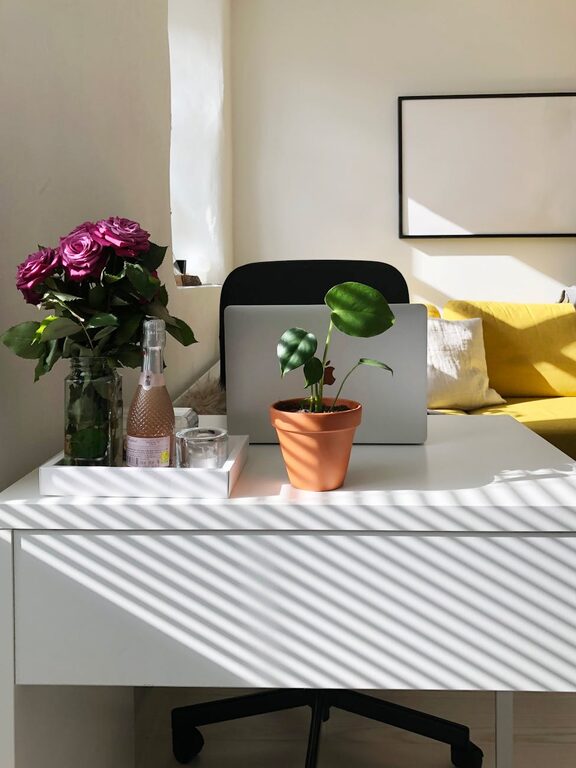
Position your desk near a window to take advantage of natural sunlight. Natural light helps reduce eye strain and improves mood and energy levels.
Invest in Comfortable and Functional Furniture
Ergonomic Chair
A comfortable, ergonomic chair that supports your posture is essential. Spending long hours at a desk requires proper back support to prevent discomfort.
Spacious Desk
Choose a desk with enough surface area for your computer, paperwork, and other essentials. Consider desks with built-in storage or cable management features to keep things tidy.
Organize Your Workspace Efficiently
Declutter Regularly
A clutter-free desk helps clear your mind. Keep only what you need within arm’s reach and store other items away.
Use Storage Solutions
Incorporate shelves, filing cabinets, or drawer organizers to neatly store documents and office supplies. Labeling containers can also speed up finding what you need.
Cable Management
Unruly cables can make your workspace look messy. Use cable clips, sleeves, or trays to keep cords organized and out of sight.
Personalize Your Space
Add Plants
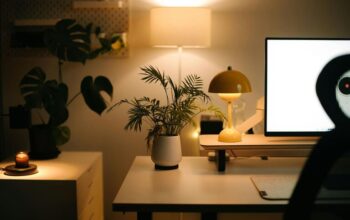
Indoor plants enhance air quality and add a touch of nature, making your office feel more inviting.
Use Soft Textiles
Incorporate soft materials like cushions, throws, or rugs to create a warm atmosphere.
Display Inspiring Items
Personal photos, artwork, or motivational quotes can boost your mood and productivity.
Optimize Lighting
Layer Your Lighting
Combine ambient lighting (like ceiling lights) with task lighting (desk lamps) to reduce eye strain and create a balanced environment.
Choose Warm Light Bulbs
Lighting with a warm color temperature tends to feel cozier compared to harsh, cool light.
Control Noise and Distractions
Use Noise-Canceling Headphones
If noise is unavoidable, hearing-isolating headphones can help you focus.
Set Boundaries
Communicate your work hours and space boundaries to housemates or family members to minimize interruptions.
Incorporate Technology Wisely
Reliable Internet Connection
Ensure your workspace has strong internet access for smooth video calls and uninterrupted work.
Essential Tech Tools
Use a quality monitor, keyboard, and mouse to improve workflow and reduce physical strain.
Establish a Daily Routine
Create a Start-of-Day Ritual
Begin work with a consistent routine, like making coffee or reviewing your task list.
Take Scheduled Breaks
Short, regular breaks improve concentration and prevent burnout.
Keep Your Workspace Clean
Wipe Surfaces Regularly
Dust and clean your desk and electronics often to maintain a healthy environment.
Manage Waste Efficiently
Have a small trash bin nearby to dispose of clutter quickly.
Final Thoughts
A cozy and productive home office combines comfort with functionality. By taking the time to set up your space thoughtfully, you can create an environment that encourages focus, creativity, and well-being throughout your workday. Remember, your ideal workspace is personal — experiment with these tips and adjust what works best for you.